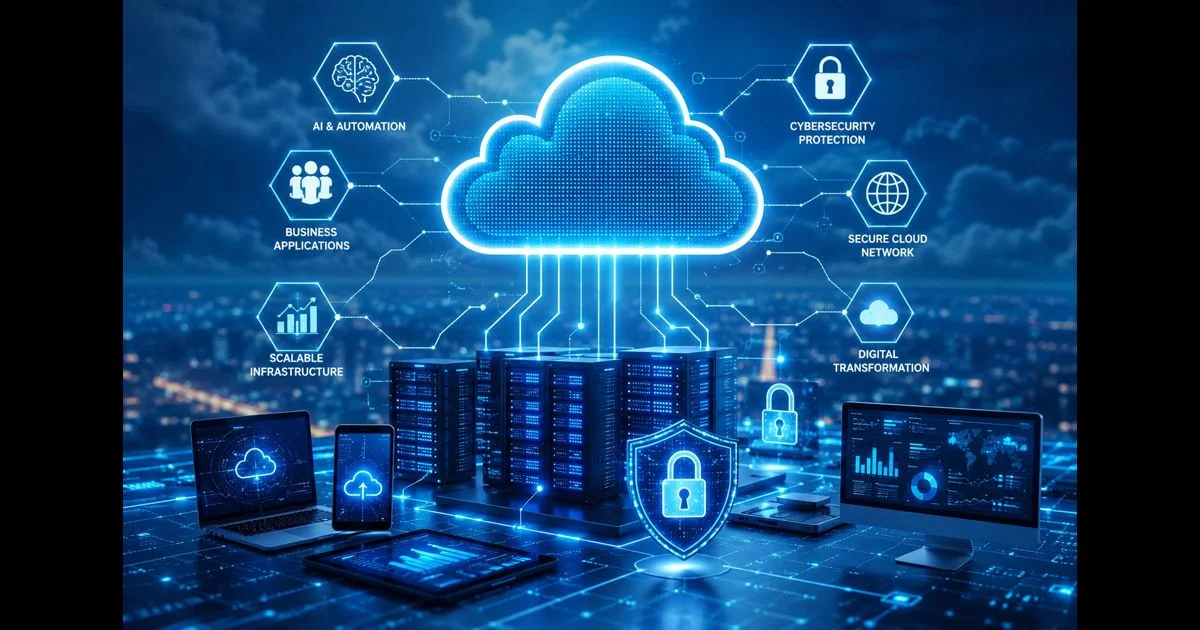
Cloud computing gives organizations on-demand access to computing power, storage, networking, databases and software without requiring every workload to run on locally owned hardware. Its value is not simply that resources are available online. Capacity can also be provisioned, measured and adjusted as operational requirements change.
Businesses use cloud environments to deliver applications, coordinate distributed teams, process information, maintain backups and support technologies such as automation and artificial intelligence. These capabilities can improve flexibility, but the benefits are not automatic. Weak identity controls, unclear data ownership, poor cost governance and untested recovery plans can turn a flexible environment into an expensive or fragile one.
A successful cloud strategy therefore connects technical architecture with business priorities. Organizations must understand what they are moving, why it belongs in the cloud, who remains responsible for protecting it and how performance, availability and cost will be measured after deployment.
Cloud Computing as an Operating Model
Cloud computing is an operating model through which configurable resources—including servers, networks, storage, applications and services—can be accessed when required. The NIST definition of cloud computing identifies five essential characteristics that distinguish cloud services from conventional hosting.
On-Demand Self-Service
Authorized users can provision computing capabilities without waiting for a provider to complete every request manually. This reduces deployment time, but it also makes governance important because uncontrolled provisioning can create unnecessary resources and expenses.
Broad Network Access
Cloud services are available through standard network connections and can support approved access from different devices and locations. Broad availability improves collaboration but must be protected through secure authentication, device controls and encrypted communication.
Resource Pooling
Providers combine computing resources and allocate them across multiple customers according to demand. Customers normally do not control the exact physical location of every component, although they may be able to select a country or region for operational, performance or regulatory reasons.
Rapid Elasticity
Capacity can expand or contract as workload demand changes. An application may use additional resources during a seasonal peak and reduce them afterward. Elasticity is valuable only when scaling rules, application architecture and cost limits are configured responsibly.
Measured Service
Cloud usage can be monitored and billed according to factors such as processing time, storage, network traffic or service consumption. Detailed measurement gives organizations greater visibility, but it does not guarantee lower costs.
Cloud computing should not be treated as a synonym for any remotely hosted system. A fixed server located in another company’s data center may provide remote hosting without offering the elasticity, measured consumption and automated provisioning associated with a mature cloud environment.
The Infrastructure Behind Cloud Services
Although users interact with virtual resources, cloud services depend on physical data centers containing servers, storage equipment, networking hardware, power systems and environmental controls. Virtualization and software-defined infrastructure allow these physical resources to be divided, assigned and managed more efficiently.
Compute Resources
Compute resources provide the processing power required to run websites, enterprise applications, analytics platforms and background services. Virtual machines remain common because they offer control over operating systems and installed software.
Containers provide a lighter application environment by packaging code and its dependencies without requiring a separate operating system for every workload. They can improve portability and deployment consistency, although container security, orchestration and monitoring still require specialist management.
Storage Systems
Cloud platforms normally provide several storage types. Object storage is suited to unstructured information such as media, archives and backups. Block storage supports workloads that require disk-like performance, while file storage provides shared directory structures for compatible applications.
The correct choice depends on performance, access frequency, retention, durability and recovery requirements. Storing every type of information in the same service can increase cost or create avoidable performance limitations.
Networking
Cloud networking connects applications, users, databases and external services. It includes virtual networks, routing, load balancing, firewalls, gateways, private connections and traffic-management controls.
A strong network design separates workloads according to sensitivity and purpose. Public-facing services should not automatically receive unrestricted access to internal databases or administrative systems. Segmentation limits unnecessary communication and reduces the potential impact of compromised accounts or applications.
Databases and Data Services
Organizations can operate databases on virtual machines or use managed database services. Managed services may automate tasks such as patching, backups, monitoring and replication, but customers remain responsible for data quality, access permissions, retention and appropriate configuration.
The selection between relational, document, key-value and analytical databases should follow the workload’s actual requirements. Choosing a fashionable technology without understanding data relationships, transaction requirements and query patterns can introduce needless complexity.
Identity, Monitoring and Management
Identity and Access Management determines who or what can access a cloud resource. Monitoring services collect information about availability, performance, security events and resource consumption.
These management capabilities should be treated as part of the architecture rather than optional additions. An organization cannot control an environment effectively if it lacks an accurate asset inventory, reliable logs or clear ownership for critical services.
Cloud Service Models
Cloud services distribute responsibility differently between the provider and the customer. Understanding this division is essential when estimating operational work and security exposure.
Infrastructure as a Service
Infrastructure as a Service, or IaaS, supplies resources such as virtual machines, storage and networking. The provider operates the physical facilities and underlying hardware, while the customer manages areas including operating systems, applications, configurations and data.
IaaS offers considerable flexibility but also leaves the customer with significant administrative responsibility. Operating-system updates, application security, access permissions and workload monitoring do not disappear simply because the server is virtual.
Platform as a Service
Platform as a Service, or PaaS, provides a managed environment for developing and operating applications. The provider manages more of the underlying infrastructure, operating environment and runtime components.
Development teams can focus more closely on application code, but they still control the application’s logic, data, identities and permissions. Organizations should also assess platform portability before adopting provider-specific services that may be difficult to replace later.
Software as a Service
Software as a Service, or SaaS, delivers a complete application through a browser or supported client. The provider maintains the software and most of its technical infrastructure.
Customers still need to manage user accounts, access levels, data-sharing settings, integrations and retention policies. A managed application can reduce technical administration without transferring every security and governance responsibility to the vendor.
Cloud Deployment Approaches
Organizations select deployment approaches according to workload sensitivity, performance, regulation, existing infrastructure and available technical skills.
Public Cloud
Public cloud services are offered through infrastructure operated by a provider for multiple customers. Resources are logically separated even though parts of the underlying physical infrastructure may be shared.
This model supports rapid provisioning and extensive service availability. It can be appropriate for websites, development environments, business applications, analytics and many other workloads when access, configuration and data controls are managed correctly.
Private Cloud
A private cloud is provisioned for the exclusive use of one organization. It may operate in an organization’s own facilities or be managed by a third party.
Private cloud can provide greater control over infrastructure and governance, but it does not automatically provide stronger security. The organization must still maintain skilled teams, reliable operations, physical safeguards, capacity planning and effective monitoring.
Community Cloud
A community cloud serves multiple organizations that share particular requirements involving mission, security, policy or regulatory compliance. Its infrastructure may be owned and managed by one or more participating organizations or by a third party.
This model is less common than public cloud but can be appropriate where organizations require shared services with more specialized governance and accountability.
Hybrid Cloud
Hybrid cloud combines two or more distinct environments, commonly private infrastructure and public cloud services. Applications and information may move between these environments or interact through controlled integrations.
A hybrid model can help organizations modernize gradually or keep particular workloads under dedicated control. It also introduces challenges involving identity, network connectivity, data consistency, monitoring and incident response across different environments.
Multi-Cloud as an Operating Strategy
Multi-cloud means using services from more than one cloud provider. It may help an organization access specialized capabilities, meet regional requirements or limit excessive dependency on a single provider.
Using several providers does not automatically improve resilience. If the same identity system, network connection or deployment process supports every environment, those shared components can still become points of failure. Multi-cloud also increases complexity across monitoring, data movement, cost control, technical skills and security policy.
Multi-cloud is best understood as an operating strategy rather than one of NIST’s original four deployment models.
Designing Architecture Around the Workload
Cloud architecture should begin with workload requirements rather than provider products. An organization should understand an application’s users, dependencies, data sensitivity, performance expectations and acceptable downtime before selecting services.
Some applications can move with limited modification. Others may depend on older systems, fixed network locations or unsupported software and require redesign before migration. Moving an unsuitable application without addressing these dependencies can transfer existing problems into a more complicated environment.
Architecture should also account for failure. Individual components, network connections and even entire service regions can become unavailable. Critical applications may require redundant components, automated health checks, controlled failover and recovery procedures.
Redundancy must be matched to business importance. Designing every workload for the highest possible availability can create unnecessary expense, while under-protecting a critical system can interrupt essential operations.
Cloud Security and Shared Responsibility
Cloud security follows a shared-responsibility model. A provider may secure physical facilities, hardware and parts of the managed platform, while the customer remains responsible for areas such as account security, access permissions, application settings, data classification and the workloads it controls.
The division changes across IaaS, PaaS and SaaS. Organizations should document responsibilities before deployment instead of assuming that a provider protects every layer. The CISA Cloud Security Technical Reference Architecture provides a useful framework for planning cloud migration and data protection.
Small organizations can turn these principles into repeatable identity, data, backup, and monitoring actions by following this practical cloud security checklist for small business.
Identity and Least-Privilege Access
Access should be granted according to genuine operational requirements. Employees, administrators, applications and automated services should receive only the permissions needed for their responsibilities.
Multi-factor authentication should protect administrative and sensitive accounts. Temporary privileged access is preferable to permanent broad permissions where it is practical. Dormant accounts, unused credentials and outdated access rights should be removed through regular reviews.
Secure Configuration
Misconfigured permissions, publicly exposed storage, weak authentication, excessive privileges and incomplete logging are preventable cloud risks. Configuration standards should be documented and applied consistently across accounts, applications and environments.
Automated checks can identify deviations, but alerts still require clear ownership and timely investigation. A security tool that produces warnings without an effective response process offers limited protection.
Readers who need a broader foundation can review the site’s guide to developing a cloud security strategy within modern cybersecurity operations.
Encryption and Key Management
Sensitive information should normally be encrypted while stored and while moving between systems. Encryption is effective only when keys, certificates and access rights are managed securely.
Organizations should determine who controls encryption keys, how they are rotated, where backups are maintained and what happens if a key becomes unavailable. Poor key management can make protected information inaccessible to legitimate users or expose it to unauthorized access.
Logging and Incident Detection
Security and operational logs help organizations identify unusual access, configuration changes and application failures. Important logs should be centralized, protected against unauthorized alteration and retained for an appropriate period.
Collecting information is not enough. Teams must define which events require immediate attention, who investigates them and how evidence will be preserved during an incident.
Privacy, Compliance and Data Governance
Cloud adoption does not remove an organization’s responsibility for the information it collects. Governance should cover the complete data lifecycle: collection, classification, storage, access, sharing, backup, retention and secure disposal.
Before placing regulated or sensitive information in a cloud service, organizations should assess contractual terms, available security controls, data locations, subcontractors and deletion procedures. Applicable obligations depend on the industry, jurisdiction and nature of the information.
Compliance certifications can help evaluate a provider, but they do not automatically make every customer configuration compliant. The organization must still apply suitable controls to its own applications, users and data.
Legal, regulatory and high-risk architectural decisions should be reviewed by appropriately qualified professionals rather than based solely on general technical guidance.
Business Applications of Cloud Computing
Cloud services now support a wide range of organizational functions beyond basic file storage.
Collaboration and Business Productivity
Cloud-based communication, document and project platforms allow approved users to work across offices and remote locations. Central access can improve coordination and version control, provided that sharing permissions and account security are managed carefully.
Software Development
Development teams can create testing environments, automate software delivery and monitor applications without waiting for new physical hardware. Managed development services can shorten deployment cycles while helping teams apply consistent processes.
Faster deployment should not bypass review. Security testing, change control and rollback procedures remain necessary even when applications can be released within minutes.
Analytics and Artificial Intelligence
Cloud environments provide scalable processing and managed tools for analytics and artificial intelligence. Organizations can analyze large datasets or experiment with models without purchasing all required infrastructure in advance.
The quality of the result still depends on the underlying data, evaluation method and human oversight. Infrastructure can make advanced capabilities accessible, but it cannot correct unreliable data or poorly defined objectives.
Digital Transformation
Cloud adoption often supports broader digital transformation by making applications, information and automated processes easier to connect.
Technology alone does not transform an organization. Lasting improvement also requires process redesign, leadership, employee preparation, data governance and measurable objectives.
Backup and Business Continuity
Cloud storage and replication can support backup and disaster-recovery strategies, but backup, high availability and disaster recovery serve different purposes.
Replication may improve availability, yet it can also copy corrupted or maliciously encrypted data to another location. Organizations should maintain protected backups, define how quickly critical operations must be restored and determine how much recent data loss is acceptable.
These requirements are commonly expressed through a recovery time objective and recovery point objective. Recovery procedures should be tested periodically rather than assumed to work during an actual disruption.
Cost Governance and Resource Control
Cloud computing replaces some upfront infrastructure spending with measured service consumption, but it is not automatically cheaper. Resources that are oversized, forgotten or poorly monitored can produce continuing expenses.
Cost governance begins with ownership. Resources should be tagged or otherwise connected to a team, application or business purpose. Budgets and alerts can identify unexpected changes before they become substantial.
Organizations should monitor more than the price of virtual machines. Storage operations, retained snapshots, idle environments, managed services, support plans and data transfer can all affect total cost.
Long-term discounts or capacity commitments may reduce pricing for predictable workloads, but they can also reduce flexibility. Commitments should follow stable usage evidence rather than optimistic forecasts.
Effective cost management does not mean choosing the cheapest service in every case. Reliability, security, employee time and operational risk also contribute to the real cost of a system.
A Responsible Cloud Adoption Process
Cloud adoption is more reliable when it follows a controlled sequence.
Define the Business Objective
The organization should identify the operational result it expects, such as faster application delivery, improved resilience, greater scalability or reduced infrastructure maintenance. “Moving to the cloud” is not a sufficient outcome by itself.
Inventory Applications and Data
Existing applications, integrations, data stores, user groups and technical dependencies should be documented. Information should be classified according to sensitivity and applicable obligations.
Select Appropriate Models
The service and deployment model should reflect the workload rather than a general preference. A public SaaS application, private environment and hybrid architecture solve different problems and create different responsibilities.
Establish Governance First
Identity standards, approved regions, network design, logging, backup, cost limits and ownership should be established before large-scale deployment. Retrofitting basic governance after uncontrolled growth is more difficult.
Migrate in Phases
A phased approach allows teams to test assumptions and build operational knowledge. Lower-risk workloads can reveal gaps in skills, connectivity, monitoring or support processes before critical systems are moved.
Measure and Improve
Performance, availability, security events, cost and user outcomes should be reviewed after deployment. Cloud adoption is an ongoing operating discipline rather than a project that ends when a migration is completed.
Common Cloud Adoption Mistakes
One common mistake is moving applications without understanding their dependencies. An application may rely on a database, identity service or network path that remains elsewhere, creating latency or availability problems after migration.
Another is giving administrators or applications broad permissions for convenience. Excessive access may accelerate initial deployment but increases the impact of compromised credentials or accidental changes.
Organizations also underestimate the importance of recovery testing. A backup report showing successful completion does not prove that an application and its data can be restored within the required time.
Provider dependency is another concern. Highly specialized services may create significant value, but organizations should understand the operational and financial consequences of moving away from them later.
Finally, some organizations adopt multi-cloud environments before they have the skills to manage one provider effectively. Additional platforms should address a defined requirement rather than serve as a substitute for architectural planning.
Future Development of Cloud Technology
Cloud platforms continue to evolve alongside automation, artificial intelligence, networking and application development.
Serverless services allow developers to run code without managing conventional server instances. The provider handles more of the scaling and infrastructure operation, although application security, data and cost controls remain the customer’s responsibility.
Edge computing places selected processing closer to users, devices or industrial systems. It can reduce latency and support services that require rapid local decisions, while centralized cloud environments remain useful for coordination, storage and large-scale analysis.
Automation is also expanding across configuration, deployment, monitoring and security response. Automated operations can improve consistency, but inappropriate automation can reproduce an error across many systems quickly. Human review and controlled change processes remain important.
Cloud computing does not automatically make a workload environmentally sustainable. Its impact depends on resource utilization, data-center efficiency, hardware lifecycle, regional energy sources, data transfer and application design. Organizations evaluating sustainability should compare measurable workload requirements and provider disclosures rather than assuming that migration alone will reduce environmental impact.
Cloud Evaluation Checklist
Before adopting or expanding a cloud service, an organization should be able to answer the following questions:
- What business problem will the service solve?
- Which applications and data will it process?
- Who owns each security and operational responsibility?
- How will identities and privileged access be controlled?
- Where will information be stored, backed up and processed?
- What availability and recovery targets are required?
- How will performance, cost and security events be monitored?
- What integrations or provider-specific dependencies will be created?
- How will data and services be recovered or transferred if requirements change?
- Which team will maintain the environment after deployment?
Clear answers do not remove every risk, but they make assumptions visible and allow decisions to be evaluated before critical operations depend on them.
Frequently Asked Questions
Is cloud computing secure?
Cloud services can support strong security, but security depends on the provider, selected service model, customer configuration, identity controls, monitoring and governance. Moving a workload to the cloud does not remove the customer’s responsibilities.
Is cloud computing always cheaper than on-premises infrastructure?
No. Cloud services can reduce upfront infrastructure investment and provide flexible consumption, but poorly sized or unmanaged resources may cost more over time. Total cost should include operations, data transfer, support, security and employee time.
What are the primary cloud service models?
The three established service models are Infrastructure as a Service, Platform as a Service and Software as a Service. Each assigns different technical and security responsibilities to the provider and customer.
What is the difference between public and private cloud?
Public cloud services are delivered through infrastructure operated by a provider for multiple customers, while private cloud infrastructure is provisioned for one organization. Private cloud may offer greater control but also requires greater operational responsibility.
Is multi-cloud a cloud deployment model?
Multi-cloud is generally an operating strategy involving services from more than one provider. NIST’s original deployment models are public, private, community and hybrid cloud.
Can small organizations benefit from cloud computing?
Yes. Smaller organizations can access scalable applications and infrastructure without purchasing every physical component. They must still manage accounts, permissions, data protection, cost and provider selection responsibly.
Final Thoughts
Cloud computing creates the greatest value when architecture follows genuine operational requirements rather than technology trends. The selection of a service or deployment model should reflect data sensitivity, performance, recovery targets, integration requirements, available skills and sustainable cost.
Organizations also need documented security responsibilities, controlled access, measurable governance, tested recovery procedures and regular performance and cost reviews. Without these disciplines, cloud adoption can move existing problems into a different environment instead of solving them.
The cloud should therefore be treated as an evolving operating model rather than a one-time migration destination. Used deliberately, it can support resilience, scalability and innovation. Adopted without clear ownership and governance, it can introduce unnecessary cost, complexity and risk.

Pingback: AI Policy Template for Small Business: Safe AI Rules
Pingback: Cloud Security Checklist for Small Business: 22 Controls
Pingback: Digital Transformation: Innovation, Cloud & Automation