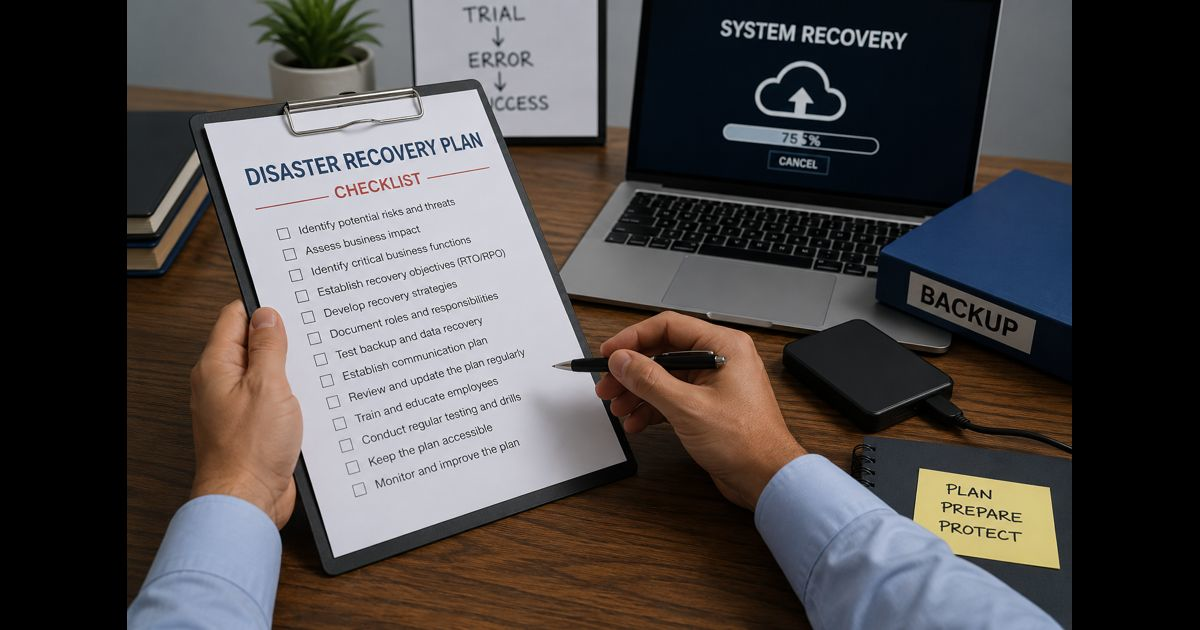
A disaster recovery plan checklist for small business helps keep essential operations moving when a cyberattack, hardware failure, power outage, fire, flood, supplier outage, or human error interrupts normal work.
The goal is not to create a large document that nobody uses. It is to make sure the business can protect important data, communicate clearly, restore critical systems in the right order, and return to safe operations within an acceptable time.
A useful plan is practical, tested, and owned by specific people.
1. Identify the events most likely to disrupt the business
List realistic disruptions before deciding what to recover.
Include events such as:
- Ransomware or unauthorized account access
- Lost, stolen, or damaged laptops and phones
- Server, website, email, or payment-system outage
- Accidental deletion of files or customer records
- Internet, power, or phone-service interruption
- Fire, flood, severe weather, or restricted access to premises
- Failure of a key software provider, cloud platform, supplier, or contractor
- Loss of a key employee who holds critical access or knowledge
For each event, note the likely business effect. A payment outage may stop revenue immediately, while a lost shared drive may delay service delivery and create privacy risk.
2. List the business functions that must be restored first
Not every system deserves the same recovery priority. Decide what the business cannot operate without.
Typical priorities include:
- Customer communication channels
- Payment processing and banking access
- Order processing, bookings, or service delivery
- Customer and financial records
- Email, phones, and team collaboration
- Website, online store, or client portal
- Inventory, supplier, and scheduling systems
For every critical function, identify the person responsible for recovery and the minimum resources they need to work.
3. Create an accurate inventory of systems, data, and access
A recovery plan fails quickly when nobody knows where important information lives or who can access it.
Record:
- Business devices, including laptops, desktops, tablets, phones, routers, and backup drives
- Software subscriptions and cloud services
- Website host, domain registrar, email provider, and payment platforms
- Shared storage locations and databases
- Customer, employee, payroll, tax, contract, and operational records
- Key suppliers and service providers
- Account owners, administrators, and approved backup administrators
- Where passwords, recovery codes, license keys, and encryption keys are stored
Keep this inventory away from a single device or inbox. An encrypted password manager with emergency access procedures is usually more reliable than scattered spreadsheets and informal knowledge.
4. Classify data by business impact
Separate data according to what would happen if it were unavailable, altered, or exposed.
| Data type | Example | Recovery priority |
| Critical operational data | Orders, bookings, customer records, active projects | Immediate |
| Financial and legal records | Invoices, tax files, contracts, payroll | High |
| Sensitive personal data | Identification, addresses, health or payment information | High |
| Important working files | Designs, reports, internal documents | Medium |
| Replaceable information | Old drafts, duplicate downloads, public brochures | Lower |
This step helps determine backup frequency, access controls, and the order of restoration.
5. Set recovery time and recovery-point targets
Each critical system needs two realistic targets.
Recovery Time Objective (RTO): the longest acceptable time the system can remain unavailable.
Recovery Point Objective (RPO): the maximum amount of recent data the business can afford to lose.
For example, an online store may need an RTO of four hours and an RPO of one hour. A historical archive may tolerate a recovery period of several days.
Do not choose targets based on wishful thinking. Match them to the actual capability of the business, its providers, backup frequency, staffing, and budget.
6. Confirm that backups are separate, protected, and recoverable
A backup only matters if it can be restored when the main system is unavailable or compromised.
Check that critical data has:
- Automatic backups on a defined schedule
- At least one copy stored separately from everyday systems
- Protection against accidental deletion and ransomware encryption
- Encryption where sensitive information is involved
- Clear retention periods
- Named ownership for checking backup status
- A documented restoration process
Cloud storage sync is not always a true backup. If a file is deleted or encrypted by malware, that change may sync across connected devices. Verify version history, retention settings, and whether an independent backup exists.
7. Write restoration steps in the correct order
Recovery steps should be short enough to use during pressure.
A sensible order is often:
- Protect people and secure the affected location or device.
- Stop further damage by disconnecting compromised systems where appropriate.
- Confirm what happened and which systems are affected.
- Preserve evidence, logs, messages, and timestamps.
- Restore secure communication and administrative access.
- Recover the most critical business function.
- Restore data and connected systems in dependency order.
- Validate records, permissions, transactions, and security controls.
- Monitor closely before returning to normal operations.
For each system, document where the backup is, who can authorize restoration, the expected recovery time, and how success will be verified.
8. Prepare an incident communication plan
Silence and inconsistent information can make disruption worse.
Create contact lists for:
- Owners and decision-makers
- Employees and contractors
- IT support or managed service providers
- Cybersecurity, legal, insurance, and accounting contacts
- Key customers and suppliers
- Payment, hosting, telecom, and software providers
- Emergency services where relevant
Decide who can communicate externally, what information must be verified before it is shared, and when customers need an update. Avoid guessing about the cause, scope, or timing of recovery.
9. Protect access before a crisis happens
Weak account security can turn a manageable disruption into a serious business incident.
Check that:
- Multi-factor authentication is enabled on important accounts
- Former staff and contractors no longer have access
- Administrative accounts are limited to people who need them
- Passwords are unique and stored securely
- Recovery email addresses and phone numbers are current
- Devices have screen locks, encryption, and supported software updates
- Important accounts have more than one authorized administrator
- Staff know how to report suspicious messages, payment changes, and login prompts
A business should never depend on one person’s personal email, mobile phone, or memory for access to essential systems. Preventive controls are easier to verify through a structured review. Use the cloud security checklist for small business to check accounts, permissions, devices, integrations, logging, and recovery safeguards before disruption occurs.
10. Plan for manual workarounds
Some disruption will last longer than expected. Identify safe temporary alternatives for essential work.
Examples include:
- Taking orders through a verified phone number or temporary form
- Using an approved offline list for urgent appointments
- Accepting delayed payment rather than using unverified payment instructions
- Providing staff with an alternate communication channel
- Using pre-approved emergency suppliers
Manual workarounds need controls. Record temporary orders and payments carefully, then reconcile them before entering them into restored systems.
11. Test the plan with realistic scenarios
A plan that has never been tested is only an assumption.
Test at least these situations:
- A staff member cannot access email or the password manager
- A critical file is deleted
- A laptop is stolen
- The website or payment system is unavailable
- A ransomware event affects shared files
- A cloud provider or internet connection is down
- The usual decision-maker is unavailable
During each test, measure how long it takes to locate contacts, access backups, restore a file, make a decision, and communicate with staff. Record failures honestly and update the plan.
12. Review the plan after every major change
Review the disaster recovery plan at least twice a year and whenever the business changes its systems, staff, suppliers, office location, insurance, or data handling.
Update it immediately after an incident or test. The most valuable lessons usually appear when a step was unclear, a contact was outdated, access was missing, or a backup could not be restored as expected.
Disaster Recovery Plan Checklist
- Main disruption scenarios identified
- Critical business functions ranked by recovery priority
- Systems, devices, cloud services, and data locations inventoried
- Account owners and backup administrators documented
- Sensitive and critical data classified
- RTO and RPO set for each important system
- Automatic backups checked and restoration tested
- Separate protected backup copy confirmed
- Step-by-step restoration order documented
- Incident contacts verified
- Customer and supplier communication responsibilities assigned
- Multi-factor authentication enabled on important accounts
- Former-user access removed
- Manual workarounds documented and controlled
- At least one recovery scenario tested
- Plan review date assigned
A small business does not need enterprise-level complexity. It needs a clear, current plan that lets the right people protect data, make decisions, communicate responsibly, and restore the work that matters most.


Pingback: SaaS Backup Checklist: 19 Steps for Reliable Recovery
Pingback: Microsoft 365 Backup Checklist for Reliable Recovery