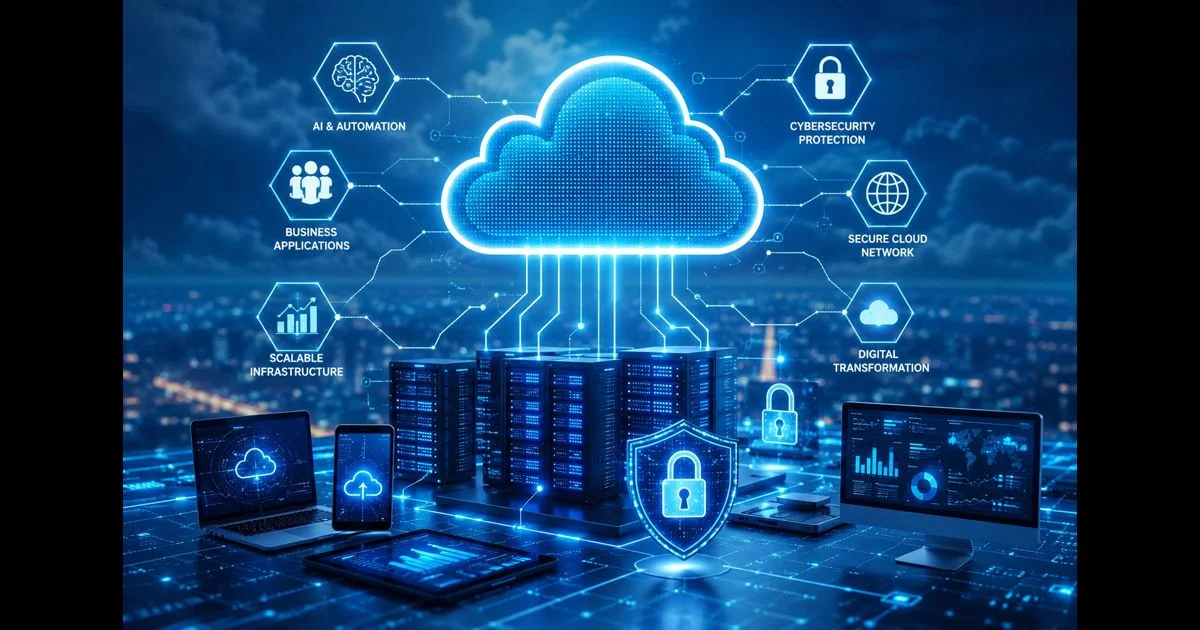
This guide discusses general methods for governing and operating cloud consoles. It does not present QuikConsole as a downloadable application, cloud provider, enterprise platform, or software service.
A cloud console can bring important administrative actions into one interface, but visibility alone does not create a well-managed cloud environment. Without clear ownership, access controls, change procedures, logging, cost review, and recovery planning, a console can make it easy to change the wrong resource or give the wrong person too much authority.
This cloud console governance guide focuses on the practices that help organizations operate cloud resources more carefully. It is intended for business owners, administrators, technology teams, and anyone responsible for reviewing cloud access and operational decisions.
What Cloud Console Governance Means
Cloud console governance is the set of rules, responsibilities, controls, and review processes used to manage cloud resources through administrative interfaces.
Governance answers practical questions such as:
- Who can sign in?
- Which resources can each person view or change?
- Who approves sensitive actions?
- How are changes recorded and reviewed?
- Who owns a resource after it is created?
- How are costs assigned and monitored?
- What happens when an employee, contractor, or supplier no longer needs access?
Governance is broader than choosing a console or configuring a dashboard. It connects technical controls with business ownership so that cloud operations remain understandable and accountable.
Create a Cloud Resource Inventory
An organization cannot govern resources that it cannot identify. Begin with an inventory of accounts, projects, subscriptions, environments, services, storage locations, databases, networks, identities, and connected tools.
For each important resource, record:
- Its purpose
- The business or technical owner
- The environment, such as development, testing, or production
- The information it handles
- The people and systems that can access it
- Its dependencies
- Its backup or recovery arrangements
- Its expected cost responsibility
The inventory does not need to contain every temporary object immediately. It should first identify resources that affect business operations, contain sensitive information, create significant spending, or provide access to other systems.
Use consistent names, labels, or tags where the platform supports them. A clear naming and tagging approach makes access reviews, cost allocation, incident investigation, and cleanup more practical.
Define Ownership and Responsibility
Every important cloud resource should have an accountable owner. Ownership does not necessarily mean that one person performs every technical task. It means that someone is responsible for confirming the resource’s purpose, access, lifecycle, cost, and operational requirements.
Define separate responsibilities where appropriate:
- Business owner: confirms the business purpose and acceptable service impact
- Technical owner: maintains configuration and operational health
- Security owner: reviews access and security requirements
- Finance or budget owner: monitors spending and allocation
- Data owner: confirms handling, retention, and access requirements
Small organizations may assign several responsibilities to one person, but the responsibilities should still be documented. Unclear ownership often leads to unused resources, delayed access removal, and confusion during an incident.
Apply Least-Privilege Access
Cloud console access should be based on the work a person must perform, not on convenience. Give users only the permissions they need and limit those permissions to the relevant account, project, subscription, environment, or resource where possible.
Separate ordinary work from high-risk administration. A person may need to view logs or restart a service without needing permission to change identity settings, delete data, modify network rules, or alter billing controls.
Review whether the platform supports:
- Individual user accounts
- Role-based permissions
- Separate administrative roles
- Temporary or time-limited access
- Approval for sensitive actions
- Restrictions by environment or resource group
- Regular access reviews
- Prompt removal of inactive accounts
Shared administrator accounts make it harder to identify who performed an action and harder to remove access for one person without affecting others.
Protect Administrative Accounts
High-privilege accounts require stronger safeguards because their actions can affect many resources. Use individual accounts for daily work and reserve the highest level of access for tasks that genuinely require it.
Review authentication settings, including multi-factor authentication, password recovery, session controls, sign-in notifications, and restrictions on administrative access. Confirm that recovery methods are current and are not controlled by only one unavailable person.
Administrative credentials should not be copied into ordinary documents, shared through informal messages, or stored in locations that are accessible to people who do not need them. Use the organization’s approved credential-management process and document emergency access procedures without exposing sensitive secrets.
Separate Development, Testing and Production
Combining experimental work with live operations increases the chance that a test change will affect real users or business data. Where practical, separate development, testing, and production environments through the platform’s account, project, subscription, network, or permission structure.
The separation should be understandable to the people using the console. Use clear labels and require additional confirmation for production actions. Access to production should be limited to the people and systems that need it.
Review whether test environments contain real customer or employee information. If they do, confirm that the use is justified and that the information is protected appropriately. Test data should not automatically receive the same access or retention treatment as production data.
Establish Change Control
Cloud resources can often be changed quickly. Speed is useful, but unreviewed changes can create outages, security weaknesses, data loss, or unexpected charges.
A practical change-control process should record:
- What will change
- Why the change is needed
- Which resources are affected
- Who approved it
- When it will occur
- How the result will be checked
- How the change can be reversed
- What should happen if the change fails
Not every low-risk action needs the same approval process. Routine actions can follow a lightweight procedure, while changes to identity, network access, production data, backup settings, or spending limits may require additional review.
Emergency changes should still be recorded after the event. A short retrospective can identify whether the emergency resulted from an unresolved issue, missing monitoring, unclear ownership, or an incomplete procedure.
Use Logs and Activity Records
Activity records help organizations understand what changed, when it changed, and which account performed the action. Confirm which administrative events are recorded, how long records are retained, and who can review or export them.
Logging should cover important events such as sign-ins, permission changes, resource creation, configuration changes, deletion requests, network changes, key administrative actions, and changes to monitoring or backup settings.
Logs are useful only when they are protected from unauthorized alteration and reviewed when appropriate. Decide who investigates unusual activity, what events require escalation, and how records are preserved during an incident.
Review Network and Integration Access
Cloud resources may connect to internal networks, external services, identity systems, storage tools, automation workflows, and third-party applications. Each connection creates a dependency that should have an owner and a defined purpose.
Review whether integrations use the minimum necessary permissions and whether inactive connections can be disabled. Check where credentials, tokens, certificates, and service accounts are stored. Rotate or revoke them according to the organization’s process when a connection changes or is no longer needed.
Network rules should be understandable enough for another administrator to review. A rule that exists without a clear purpose, owner, or review date may remain active long after its original need has ended.
Monitor Cloud Costs and Resource Usage
Governance includes financial visibility. Cloud costs can arise from compute resources, storage, databases, data transfer, requests, licenses, monitoring, backups, and other usage-based services.
Assign resources to an owner, team, project, or cost center where possible. Review unusual changes in usage and investigate resources that are idle, duplicated, oversized, or no longer connected to a current business purpose.
Cost alerts can support awareness, but they should not be treated as a complete spending-control system. Establish who reviews alerts, what action is taken, and how legitimate increases are distinguished from unexpected activity.
Before creating a resource, document its expected purpose and approximate operational impact. This makes later cost review more useful than looking at an unexplained total after the billing period ends.
Plan Backup and Recovery Governance
Backup governance is more than confirming that a copy exists. Define which information requires protection, how long it should be retained, who can access it, and how restoration will be tested.
Review:
- Recovery objectives for important services
- Backup frequency and retention
- Separation between production and backup access
- Protection against accidental deletion or unauthorized changes
- Restore responsibilities
- Recovery documentation
- Testing frequency and test results
- Data export and portability requirements
A recovery process that has never been tested may not work as expected. Record the outcome of restoration tests and correct problems before an actual service interruption occurs.
Manage Alerts and Operational Information
Too many alerts can hide important events, while too few alerts can leave a team unaware of a serious change. Connect alerts to defined responsibilities and escalation procedures.
For each important alert, determine:
- What condition triggers it
- Who receives it
- How quickly it should be reviewed
- What initial checks should be performed
- When it should be escalated
- How the issue is closed and documented
Review alert rules after major changes to applications, networks, integrations, and ownership. An alert that refers to a deleted resource or an old team can create confusion during a real incident.
Review Access During Staff and Supplier Changes
Access governance should include onboarding, role changes, leave, departure, contractor changes, and supplier offboarding. A person’s access should change when their responsibilities change, not only when an annual review occurs.
Create a repeatable process for:
- Requesting access
- Approving access
- Recording the business reason
- Reviewing existing permissions
- Suspending access when required
- Removing access at the end of the relationship
- Recovering credentials, tokens, and devices
Supplier and service accounts require the same attention. Confirm their owner, purpose, expiration or review date, and the process for disabling them when the related work ends.
Document Procedures and Exceptions
Good governance depends on documentation that people can actually follow. Keep procedures focused on decisions and actions rather than copying large amounts of technical detail that quickly becomes outdated.
Document how the organization handles access requests, production changes, emergency actions, backup restoration, incident escalation, cost alerts, resource retirement, and account closure.
Exceptions should have an owner, reason, approval, scope, and review date. An exception without an end date can become a permanent weakness in the operating model.
Perform Regular Governance Reviews
Cloud governance should be reviewed after meaningful changes and at a regular interval suitable for the organization. The review should examine whether resources still have owners, permissions remain appropriate, integrations are still required, logs are available, costs are understood, and recovery procedures remain usable.
Use review results to remove unused resources, close unnecessary access, update documentation, test recovery, and correct unclear ownership. The purpose is continuous improvement, not creating paperwork for its own sake.
Cloud Console Governance Checklist
Before considering the environment adequately governed, confirm that:
- Important cloud resources are inventoried.
- Each important resource has an accountable owner.
- Business, technical, security, finance, and data responsibilities are understood.
- High-privilege access is limited and protected.
- Individual accounts are used instead of shared administrator accounts.
- Development, testing, and production access are separated where practical.
- Sensitive changes follow a documented approval process.
- Administrative activity is logged and reviewable.
- Integrations and network connections have clear owners and purposes.
- Costs can be assigned and unusual usage can be investigated.
- Backup, restoration, and portability requirements are documented.
- Alerts have clear recipients and escalation paths.
- Staff, contractor, and supplier access is reviewed during role changes.
- Exceptions have an owner and review date.
- Governance procedures are tested and updated after meaningful changes.
Conclusion
A cloud console is an operational control point, but its value depends on the rules around it. Clear ownership, least-privilege access, protected administrative accounts, change control, logging, cost review, recovery planning, and regular access reviews create a more manageable operating environment.
Use this cloud console governance guide as a starting point for documenting responsibilities and reviewing existing practices. The goal is not to make every action slow or complicated. The goal is to make important actions understandable, authorized, reviewable, and recoverable.