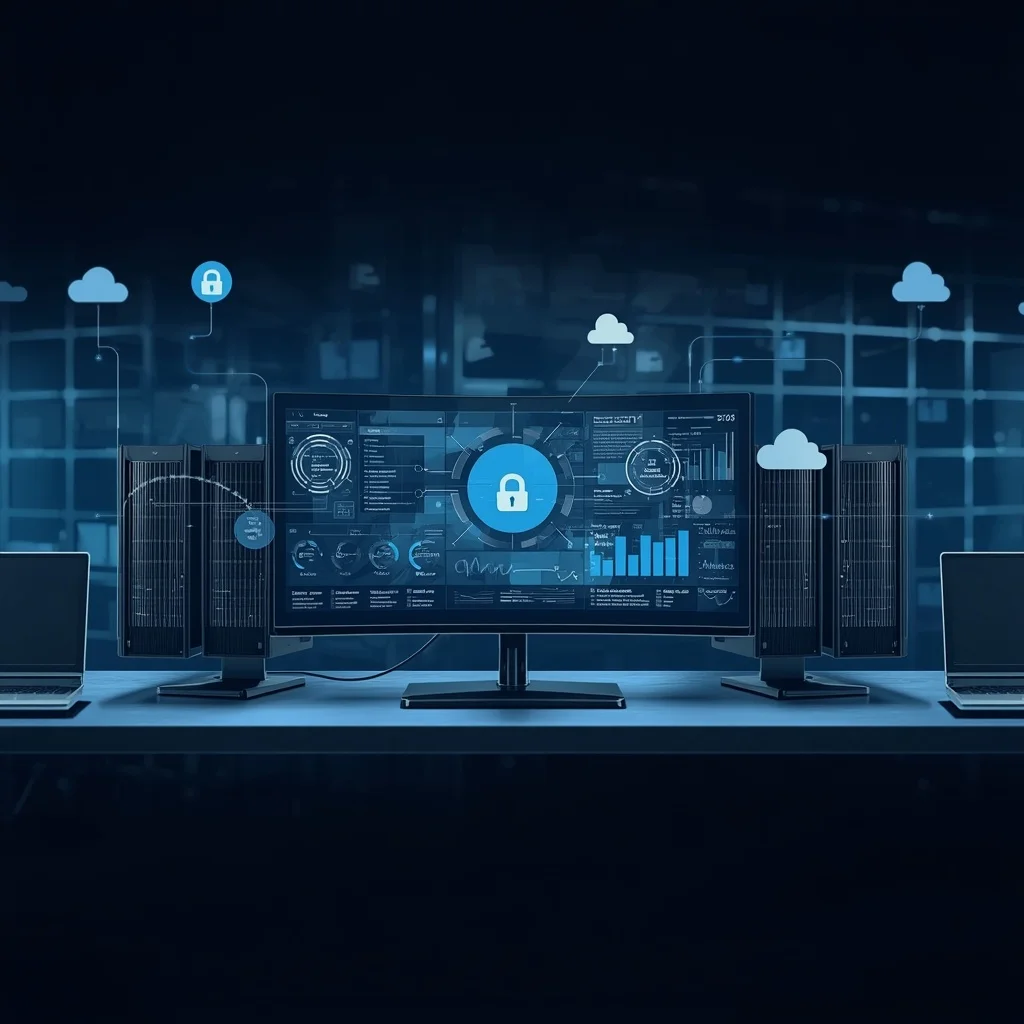
Remote access allows authorized users to work with computers, servers, applications, and other digital resources without being physically present at the system’s location. It has become a standard part of modern IT operations as businesses increasingly rely on cloud infrastructure, distributed teams, hosted applications, remote support, and geographically separated systems.
Server management is closely related but broader. It includes the ongoing work required to keep servers available, secure, updated, properly configured, and suitable for the applications or services they support.
Both areas can improve operational flexibility, but they also introduce risks when access is poorly controlled, software is outdated, credentials are shared, or administrative services are exposed unnecessarily.
This guide explains how remote access and server management work, the technologies commonly involved, the security controls that matter most, and the practices organizations can use to manage remote systems more reliably.
What Is Remote Access?
Remote access is the ability to connect to a computer, server, network, application, or other digital resource from a different physical location.
The connection may provide anything from access to a single application to full administrative control of a remote system.
Common uses include:
- Remote work
- Server administration
- Website management
- Technical support
- Cloud infrastructure management
- Software development
- Database administration
- File access
- System monitoring
- Network maintenance
The exact level of access depends on the system, the connection method, and the permissions granted to the user.
Remote access should therefore be viewed as a controlled capability rather than simply a way to connect from anywhere.
What Is Server Management?
Server management covers the administrative tasks required to operate and maintain servers.
A server may host websites, applications, databases, files, email, authentication systems, internal business tools, or other services.
Typical server-management responsibilities include:
- Installing and updating software
- Managing user accounts
- Configuring permissions
- Monitoring system health
- Reviewing storage capacity
- Managing services and processes
- Applying security updates
- Checking logs
- Maintaining backups
- Troubleshooting failures
- Reviewing network configuration
- Planning capacity
- Controlling administrative access
Server management can be performed locally, remotely, through a hosting control panel, through a cloud provider, or with specialized administration tools.
The appropriate method depends on the infrastructure being managed.
Remote Access and Remote Server Management Are Not the Same Thing
The terms are closely related but should not be treated as identical.
Remote access describes the ability to reach a system from another location.
Remote server management describes the administrative work performed on a server through that remote connection.
Someone may have remote access to a file or business application without having any authority to manage the underlying server.
Likewise, a server administrator may receive privileged access that allows configuration changes, software installation, account management, or service restarts.
This distinction matters because administrative access carries greater risk and should normally be more tightly controlled.
Common Remote-Access Methods
Remote access can be implemented in several ways.
The correct method depends on the operating system, security requirements, network architecture, and task being performed.
Secure Shell
Secure Shell, commonly known as SSH, is widely used for remote administration of Linux and Unix-based systems.
It provides an encrypted connection through which administrators can run commands and manage the system.
SSH deployments should be configured carefully, particularly when they are reachable from the public internet.
Authentication methods, allowed users, network restrictions, software updates, and logging all deserve attention.
Remote Desktop
Remote-desktop technologies allow a user to interact with a graphical desktop on another machine.
This can be useful when administration requires access to applications or controls that are easier to manage through a graphical interface.
Because remote-desktop services can provide extensive control over a system, exposing them unnecessarily can create significant security risk.
Virtual Private Networks
A virtual private network can provide authorized users with protected access to internal resources from outside the organization.
A VPN does not automatically secure every system behind it, but it can form one part of a broader remote-access architecture.
Accounts, devices, internal permissions, and the VPN infrastructure itself still require appropriate security controls.
Web-Based Administration
Many hosting providers, cloud services, network appliances, and business applications provide web-based management interfaces.
These can make administration easier because users do not need a dedicated desktop application.
However, browser-based administration panels can contain highly privileged controls. Strong authentication, limited access, secure configuration, and careful account management remain essential.
Provider and Cloud Consoles
Cloud and hosting providers commonly supply their own management interfaces for infrastructure, applications, storage, networking, and other resources.
These consoles belong to the relevant provider and should be managed according to that provider’s current documentation and security model.
Access to a cloud-management account can provide control over large parts of an organization’s infrastructure, making account security particularly important.
Why Organizations Use Remote Server Management
Physical access to servers is not always practical.
Infrastructure may be located in:
- Data centers
- Cloud environments
- Hosting facilities
- Branch offices
- Customer locations
- Remote business premises
- Different countries or regions
Remote management allows authorized technical staff to maintain systems without travelling to the hardware each time attention is required.
It may also make it possible to respond to incidents, update systems, inspect logs, or troubleshoot problems outside the physical location where the equipment is installed.
The advantage is flexibility.
The responsibility is ensuring that the same remote pathway cannot easily be abused by unauthorized users.
Start With an Inventory
Good server management begins with knowing what exists.
As infrastructure grows, organizations can lose track of servers, services, administrator accounts, applications, operating systems, and exposed interfaces.
A basic inventory can include:
- Server name
- Purpose
- Location or hosting provider
- Operating system
- Responsible owner
- Important applications
- Administrative access method
- Backup status
- Update status
- Network exposure
- Support status
An inventory does not need to be unnecessarily complicated.
Its purpose is to prevent important systems from becoming forgotten or unmanaged.
Control Who Has Administrative Access
Administrative access should be limited to people who genuinely require it.
Giving every employee or contractor the same level of access increases both accidental and malicious risk.
Permissions should reflect job responsibilities.
For example:
- A content editor may need website access but not server administration.
- A developer may require access to a development environment but not production infrastructure.
- A support technician may need diagnostic access without full administrative privileges.
- A temporary contractor may require access only for the duration of a specific project.
This follows the principle of least privilege: provide the level of access necessary for the task and no more.
Use Individual Administrative Accounts
Where supported, each administrator should have an individual account rather than sharing a common username and password.
Shared accounts make several important tasks more difficult.
They can make it harder to determine:
- Who made a configuration change
- Who logged in at a particular time
- Which person still knows a shared password
- Who should lose access after leaving
- Whether an unfamiliar session is legitimate
Individual accounts provide clearer accountability and make access easier to revoke.
Highly privileged credentials should also be protected from casual sharing through email, chat messages, spreadsheets, screenshots, or unsecured notes.
Protect Authentication
Remote administrative access deserves stronger protection than ordinary low-risk website access.
A strong authentication strategy typically includes unique credentials and, where the relevant system supports it, an additional authentication factor.
Multi-factor authentication can help reduce dependence on a password alone.
The available methods vary by platform and may include:
- Authenticator applications
- Security keys
- Passkeys
- Device-based verification
- Other supported authentication mechanisms
Organizations should follow the current documentation for the specific service or system being protected rather than assuming all systems support the same options.
Keep Remote-Access Software Updated
Remote-access services can become attractive targets when vulnerabilities are discovered.
Operating systems, remote-management software, VPN systems, web administration panels, routers, hosting control panels, and other infrastructure should therefore receive appropriate security updates.
Special attention should be given to software that is:
- Internet-facing
- Highly privileged
- No longer supported
- Rarely maintained
- Running an outdated operating system
- Dependent on obsolete plugins or components
Unsupported software can become increasingly difficult to secure because newly discovered vulnerabilities may no longer receive fixes.
Avoid Unnecessary Internet Exposure
A remote-management service does not automatically need to be available to the entire internet.
Exposure should reflect actual operational requirements.
Organizations can consider controls such as:
- Restricting permitted networks
- Using an approved VPN or secure gateway
- Limiting administrative interfaces
- Disabling unused services
- Applying firewall rules
- Separating management traffic where appropriate
The exact design depends on the infrastructure.
The general principle is simple: a service that does not need public exposure should not be publicly reachable merely for convenience.
Monitor Administrative Activity
Logging can help establish what happened before, during, or after a technical problem.
Depending on the system, useful records may include:
- Successful logins
- Failed login attempts
- Privilege changes
- Account creation
- Service changes
- Software installation
- Configuration changes
- Security events
- System restarts
- Administrative commands
Logs are most useful when someone actually reviews or monitors the relevant events.
Collecting large quantities of information without a defined purpose can make important signals difficult to identify.
Maintain Reliable Backups
Remote administration can involve powerful actions.
A configuration error, failed update, deleted file, compromised account, or hardware problem can affect the availability of important services.
Backups provide a recovery path.
Organizations should identify:
- What needs to be backed up
- How frequently backups are created
- Where backups are stored
- Who can access them
- How long they are retained
- How restoration is performed
The ability to restore matters as much as creating the backup.
A backup strategy should therefore include occasional restoration testing rather than assuming every stored backup will work when required.
Separate Production From Development
Developers and administrators should be careful when working with production systems.
Development, testing, staging, and production environments serve different purposes.
Testing unfinished code or experimental configuration directly on a production server can create avoidable outages or security issues.
Where practical, changes should be tested in an appropriate non-production environment before being introduced to critical systems.
Production access should also be limited more carefully because mistakes there can affect real users, data, or business operations.
Plan Changes Before Applying Them
Server changes should not be improvised when the consequences could be significant.
Before a major change, administrators should understand:
- What will change
- Why it is required
- Which systems may be affected
- Whether downtime is possible
- Whether a backup is available
- How the change will be verified
- How the previous state can be restored
Not every small task requires a formal enterprise change-management process.
But important systems benefit from deliberate planning and a clear rollback path.
Document Important Changes
Technical environments become difficult to manage when only one person knows how everything is configured.
Useful documentation may record:
- Major configuration changes
- Installed services
- Network requirements
- Administrative procedures
- Backup locations
- Recovery procedures
- System dependencies
- Responsible contacts
- Maintenance requirements
Documentation should be useful enough that another authorized administrator can understand the system without relying entirely on memory.
Sensitive credentials themselves should not simply be inserted into ordinary documentation.
Monitor System Health
Server management also requires awareness of whether the system is functioning normally.
Depending on the environment, administrators may monitor:
- CPU usage
- Memory consumption
- Storage capacity
- Network activity
- Service availability
- Application errors
- Database health
- Response times
- Backup status
- Security events
Monitoring should focus on metrics that help identify real operational problems.
More dashboards and alerts are not automatically better. Excessive alerts can create noise and make important events easier to miss.
Review Storage Capacity
Servers can fail or applications can behave unexpectedly when storage becomes critically limited.
Administrators should understand:
- Which disks or volumes exist
- How much space remains
- Which applications consume storage
- Whether logs are growing excessively
- Whether backups are stored in an appropriate location
- Whether temporary files require cleanup
Capacity planning becomes increasingly important for systems whose data grows continuously.
Review User Access Regularly
Permissions tend to accumulate over time.
Former employees, expired contractors, old service accounts, temporary administrator access, and unused integrations can remain active long after their original purpose has disappeared.
Access reviews should therefore occur:
- When an employee leaves
- When responsibilities change
- When a contractor finishes work
- After infrastructure changes
- After a security incident
- During scheduled security reviews
Removing unused access reduces the number of credentials and accounts that could potentially be abused.
Protect Administrative Workstations
The server is not the only part of the remote-management path that requires protection.
An administrator’s own computer may contain saved sessions, authentication credentials, SSH keys, browser sessions, management applications, or access to important systems.
Administrative workstations should therefore be treated as sensitive devices.
Useful controls include:
- Keeping the operating system updated
- Using screen locking
- Protecting local accounts
- Limiting unnecessary software
- Reviewing browser extensions
- Avoiding untrusted downloads
- Protecting authentication keys
- Using appropriate endpoint security
A secure server can still be exposed if the administrator’s device is compromised.
Take Care With Public Networks
Administrative work performed through unfamiliar public networks deserves extra caution.
Public Wi-Fi can introduce additional uncertainty about the network environment.
Where possible, high-privilege administrative activity should be performed through a trusted connection and an appropriately secured remote-access method.
Users should also verify the network they are joining rather than relying only on a familiar-looking Wi-Fi name.
Remote Access for Small Businesses
Small organizations may have fewer servers than large enterprises, but they still need basic access controls.
A small-business remote-management baseline can include:
- An inventory of critical systems
- Individual administrator accounts
- Unique passwords
- Stronger authentication where available
- Regular software updates
- Reliable backups
- Removal of former users
- Documented recovery procedures
- Limited public exposure
- Basic activity monitoring
For a broader security checklist covering cloud environments and business systems, see the Cloud Security Checklist for Small Business.
The objective is not to create unnecessary complexity.
It is to make sure important systems are not being managed through forgotten accounts, shared passwords, unsupported software, or undocumented processes.
Remote Access and Incident Response
Remote-management systems can become especially important during a security or availability incident.
Administrators may need to:
- Inspect system activity
- Disable an account
- Isolate a service
- Apply an urgent update
- Review logs
- Restore data
- Reconfigure access
- Restart a failed service
Incident response should still follow an organized process.
Changing several systems rapidly without documenting actions can make the original problem harder to understand.
When possible, important evidence should be preserved before destructive changes are made.
Common Remote-Management Mistakes
Several problems repeatedly weaken remote environments.
Shared Administrator Passwords
Shared credentials reduce accountability and make revocation difficult.
Excessive Privileges
Giving users more permissions than required increases the possible impact of mistakes or compromised accounts.
Exposed Administration Services
Leaving remote-management interfaces broadly reachable can increase attack exposure.
Delayed Updates
Internet-facing systems running known vulnerable software can become easier targets.
Forgotten Accounts
Old users, API credentials, and service accounts often remain active longer than necessary.
Missing Backups
Without reliable backups, recovery from accidental deletion, ransomware, hardware failure, or configuration errors becomes much harder.
No Documentation
Poor documentation makes troubleshooting, handovers, recovery, and maintenance unnecessarily difficult.
Ignoring Logs
Security and system logs have limited value when significant events are never reviewed.
A Practical Remote Server Management Checklist
Before relying on remote administration for an important system, review the following:
- Identify every server and its purpose.
- Record who is responsible for each system.
- Use individual administrator accounts where supported.
- Use unique authentication credentials.
- Enable stronger authentication where available.
- Remove users who no longer need access.
- Keep operating systems and management software updated.
- Disable remote services that are not required.
- Limit administrative exposure where practical.
- Maintain reliable backups.
- Test important recovery procedures.
- Monitor relevant system and security events.
- Protect administrative devices.
- Separate development and production where appropriate.
- Document significant configuration changes.
- Review storage and system health.
- Maintain a plan for restoring service after failures.
For broader guidance on credentials, phishing, access control, backups, and everyday security practices, the QuikConsole Security guide provides additional context.
Frequently Asked Questions
What is remote access?
Remote access allows an authorized user to interact with a computer, server, network, or application from another physical location through an appropriate connection.
What is remote server management?
Remote server management is the administration, monitoring, maintenance, configuration, and troubleshooting of servers without requiring the administrator to be physically present at the hardware.
Is remote access the same as remote desktop?
No. Remote desktop is one method of remote access. Other methods include SSH, VPN-based access, web administration interfaces, and provider-specific management systems.
Is remote server management safe?
It can be managed securely, but safety depends on configuration, authentication, permissions, software maintenance, network controls, administrative devices, and monitoring.
Should remote administrative services be exposed to the internet?
Only when there is a legitimate requirement and appropriate security controls are in place. Services that do not require public access should not remain publicly exposed simply for convenience.
Why is multi-factor authentication useful for remote access?
Where supported, MFA adds another verification step beyond the password and can reduce reliance on a single credential.
Should administrators share one account?
Individual administrator accounts are generally preferable where the system supports them because they make access management, accountability, and revocation easier.
Why are backups important for server management?
Backups can provide a recovery path after accidental deletion, failed changes, malware, hardware problems, or other incidents.
What is least privilege?
Least privilege means giving users only the access required for their responsibilities rather than granting unnecessary administrative permissions.
How often should access be reviewed?
Access should be reviewed periodically and whenever responsibilities change, employees leave, contractors finish work, systems are reconfigured, or security incidents occur.
Final Thoughts
Remote access makes modern infrastructure easier to operate across locations, but convenience should not come at the cost of control.
Reliable remote server management depends on knowing which systems exist, limiting administrative access, protecting credentials, maintaining software, reducing unnecessary network exposure, monitoring important activity, keeping recoverable backups, and documenting significant changes.
The specific tools will vary between organizations and infrastructure providers. The underlying principles remain consistent: give access deliberately, maintain systems carefully, and make recovery part of the design rather than an afterthought.

Pingback: QuikConsole Security Guide: Passwords & Cybersecurity
Pingback: Digital Consoles and Management Interfaces Guide